Observation & families
Preschool Portfolio Ideas & Setup
A child portfolio shows how a preschooler grows from the first week of school to the last through dated work samples, action photos, and…
The Resource Collection is the “Ten (10) Resources” part of your CDA Professional Portfolio, compiled by you in the 6 months before you apply. For Preschool, one training guide lists certificates, a weekly menu and plan, nine learning experience plans, a bibliography, family resources, record-keeping forms and professional resources. Numbering differs between guides, so follow the Competency Standards book for your setting.
It's Sunday night, the binder is open on the couch, and the Resource Collection tab still holds one sticky note. If you are a CDA candidate in a Preschool setting, this guide has a 26-week pacing table, activity ideas for each skill area, a pattern for reflective statements and a table of common mistakes.
The Council's FAQ page lists five portfolio components: Education Documentation, Family Questionnaires, Six (6) Reflective Statements of Competence, Ten (10) Resources and a Professional Philosophy Statement. Each candidate compiles the portfolio independently, working from the Competency Standards book for their setting, and prepares it within the 6 months before applying.
Most training materials say "Resource Collection", while the FAQ says "Ten (10) Resources". Some pieces, such as a weekly menu or a weekly plan, may already sit in your classroom folder, so the Resource Collection is a good place to start.
One Preschool training guide, the Virtual Lab School CDA activity guide, numbers the CDA portfolio resource collection as 22 entries in six groups: three classroom documents under RC I, nine activity plans under RC II, a bibliography under RC III, four family resource activities under RC IV, record-keeping samples under RC V and four professional resources under RC VI.
| Number | What the guide lists |
|---|---|
| RC I-1 | Copies of your current First Aid and Infant/Child CPR certificates or cards |
| RC I-2 | One weekly menu |
| RC I-3 | A weekly plan with child goals and accommodations for children with disabilities |
| RC II-1 to II-9 | Nine activity plans: science/sensory, language and literacy, creative arts, fine motor, gross motor, self concept, emotional skills and regulation, social skills, mathematics |
| RC III | Bibliography |
| RC IV-1 to IV-4 | Family Resources Guide: family counseling, translation services, disability services, child development websites |
| RC V | Three samples of record-keeping forms used in your program |
| RC VI-1 to VI-4 | Professional resources: your state's regulation on personnel qualifications, early childhood associations, child abuse and neglect reporting requirements, three resource articles (one on positive guidance) |
The Council's FAQ counts "Ten (10) Resources" while this guide numbers 22 entries in six groups, so one guide's numbering is not the Council's official list. New editions of the books are coming too (see the last section). Use the table as a map and your own Competency Standards book as the rule.
Work backward from your application date: 6 months is about 26 weeks, enough to give each kind of item its own block of weeks. This pacing is a suggestion, so adjust the rows if your book asks for something different.
| Weeks | Job |
|---|---|
| 1–2 | Read the Resource Collection section of your book start to finish, list every item on one checklist, hand out the Family Questionnaires |
| 3–4 | Gather certificates, one weekly menu and three record-keeping forms; add child goals and accommodations to a weekly plan |
| 5–13 | Write one learning experience plan per week (nine plans) |
| 14–16 | Write the children's book bibliography; collect the family resources (RC IV) and professional resources (RC VI) |
| 17–22 | Draft the six Reflective Statements and the Professional Philosophy Statement |
| 23–26 | Collect the returned questionnaires, check every item against your checklist, make copies |
Hand out the questionnaires in the first two weeks, because families need time to fill them in and send them back. Base the weekly plan on the schedule you really follow; the weekly lesson plan template shows a layout you can adapt.
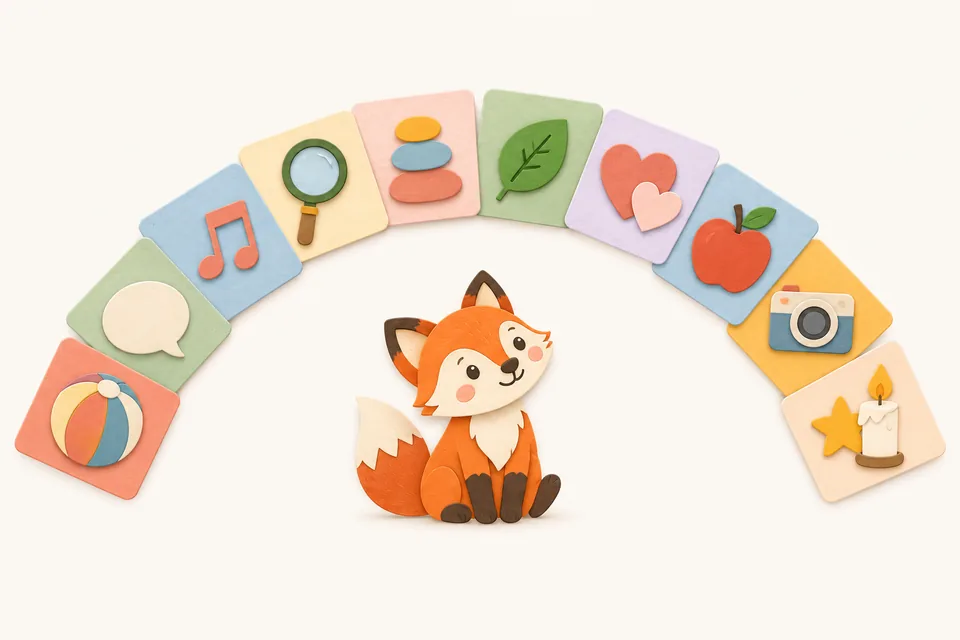
Choose activities you can run in an ordinary week with materials from your own room, one for each of the nine skill areas the guide lists. Your book supplies the plan template and says what each plan must contain, so these examples only show how a skill area can look with a preschool group:
Write each goal as one thing a child will do that you can see; the preschool lesson plan objectives guide goes deeper on wording. Try each idea once with your group before you write it up, so the adaptations you list come from what you saw. Keep an adult within arm's reach of water play and scissors, keep small objects away from any child who still mouths things, and clear allergies with families before any food activity.
Start each statement from one real moment in your classroom, then say what you did, why you did it and what you would do next time. Because each candidate compiles the portfolio independently, borrow structure from examples and never their sentences. Your book names the competency goal each of the six statements answers.
Jot two or three bullet points right after the moment, while the details are fresh. An anecdotal notes template keeps those quick notes in one consistent format. The habit of noticing carries over from classroom documentation; How to Write a Learning Story shows it in a different format.
Use one binder with a tab for each of the five portfolio components, and place each Resource Collection item behind its cover sheet where your book provides one. Scan or photograph every page the day you finish it and store the files in a folder named by item number, so a lost binder means a reprint instead of a restart. The Council also offers an E-Portfolio, explained in its CDA E-Portfolio FAQ; check which format your application uses before you commit.
Check your program's policy before attaching anything that shows a child's name or face. Child portfolios for your own classroom are a separate project, covered in Preschool Portfolio Ideas & Setup.
| Mistake | Cause | Fix |
|---|---|---|
| Counting items from a blog | Guides number entries differently | Build your checklist from your own book |
| Writing plans from memory weeks later | Details stayed in your head | Jot bullets right after each activity |
| Statements that read like lesson plans | Starting from the standard, not a moment | Open with one real classroom moment |
| Questionnaires collected at the end | Families need time | Hand them out in weeks 1–2 |
| Only one copy | The binder is the sole record | Scan each item the day it is done |
Check the Council's own pages and the Competency Standards book for your setting, because the timing matters right now. A Council newsletter dated October 21, 2026 says revised Competency Standards books will be available in January 2027, in English and Spanish, and that existing books continue to support candidates who have already started. It lists clearer guidance on portfolio preparation among the changes, and updated requirements for training documentation and accepted training organizations take effect in September 2027.
The newsletter doesn't say whether the Resource Collection items change. If you are mid-portfolio, keep working from the book you own. If you are about to start, ask the Council which edition applies to your application date: call 1-800-424-4310 or write to cdafeedback@cdacouncil.org. The Council's FAQ page is also worth a look before you submit.
Yes, the Council offers an E-Portfolio, reached through your YourCouncil account, and its E-Portfolio FAQ on cdacouncil.org explains how it works. Confirm with the Council at 1-800-424-4310 which format your application should use before you commit to a binder or an online version, and keep a digital copy of every item either way.
Only if your program's policy and the families' permission allow it. When in doubt, use photos of the room setup, the materials or a work sample without a name or face, and ask your director before attaching anything that identifies a child. This is general guidance, not legal advice, and privacy rules vary by program and state.
Yes, as long as the plan fits the template and the skill area your book asks for. Start from an activity you already run, then add whatever the book's plan format requires, such as the age group and the learning goal, and adapt it so it describes your own group rather than a generic one.
It shouldn't, because the Council states that each candidate compiles the portfolio independently and the statements describe your own practice with your own group. A generated draft would describe someone else's classroom. A planning app can help with classroom documents such as a weekly plan draft, but the words in your statements should grow from your own notes.
Your CDA Professional Development Specialist reviews it during the Verification Visit, which the Council's FAQ says includes a review of your Professional Portfolio. Have the binder or E-Portfolio complete before the visit, with every item in the order your Competency Standards book lists, so the Specialist can find each resource quickly.
You also need 120 hours of formal early childhood education training, 480 hours of professional work experience with young children, the Verification Visit and the CDA Exam, which has 65 multiple-choice questions, according to the Council's FAQ. The portfolio itself is prepared within the 6 months before you apply.
A child portfolio shows how a preschooler grows from the first week of school to the last through dated work samples, action photos, and…

You probably know the pile: sticky notes that say “Maya, blocks, great!” and no way to tell later what happened.
Start the 7-Day Free Trial on the Annual Plan ($79.00 / year after the trial) and adapt a Monday–Friday draft to whatever your Competency Standards book asks for. Plans are bought in the PreschoolFox app for iOS & Android.
In-app purchase. Annual Plan: 7-day free trial, then $79/yr ($6.58/month billed annually). Monthly Plan: $9.90/month, no free trial.